

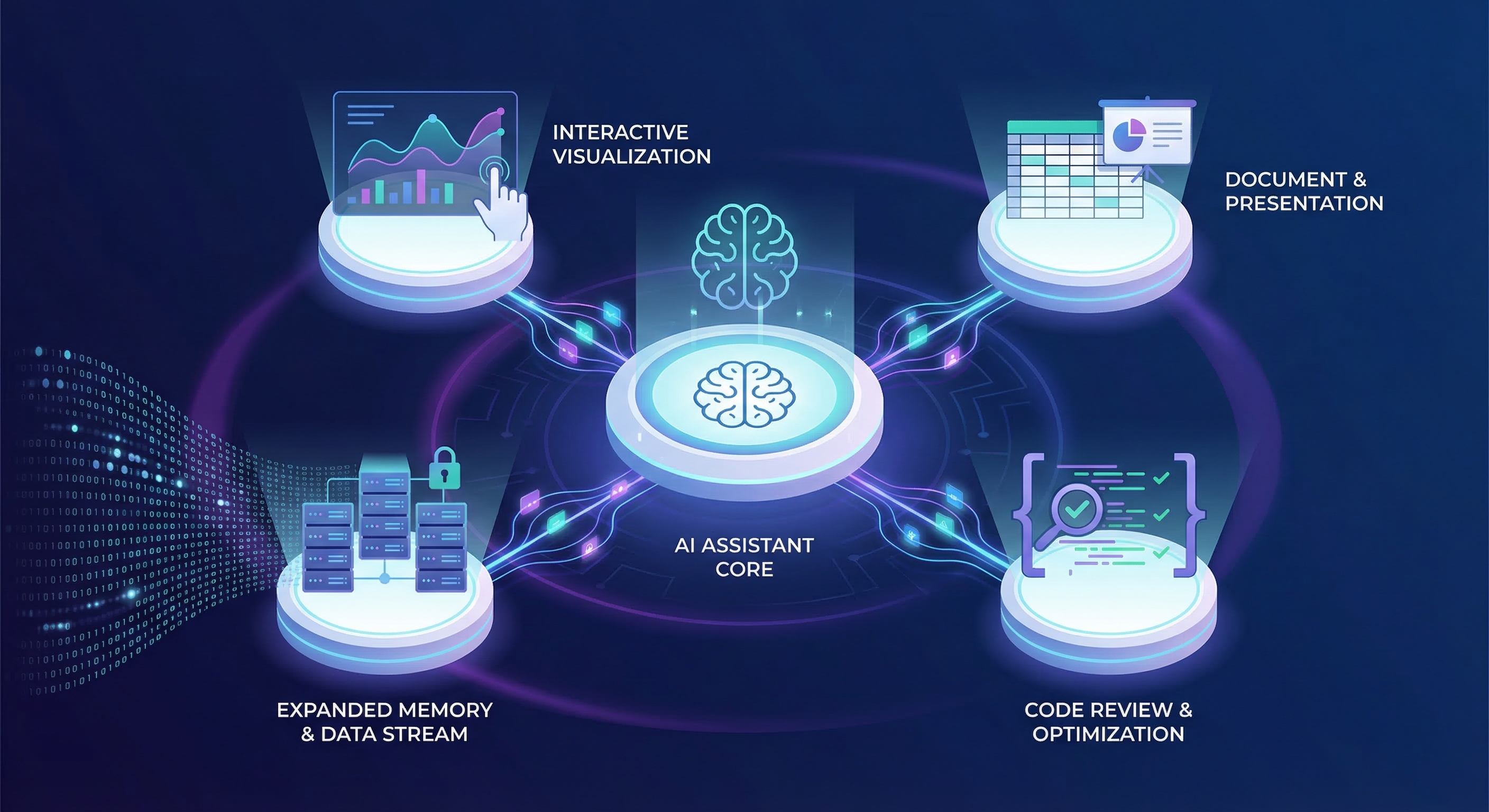
Anthropic just had one of their busiest weeks in recent memory. Between March 9th and March 13th, they shipped four substantial updates to Claude that span everything from how Claude thinks visually to how much context it can hold in a single conversation. If you blinked, you might have missed one of them — so let’s break down what happened and why it matters.
These aren’t incremental polishes. We’re talking about inline visual generation, deeper Office integration, multi-agent code review, and 1M context windows going GA. Each one addresses a different friction point in how people actually work with AI. Together, they paint a picture of where Claude is headed: less chat interface, more integrated collaborator.
Claude Now Builds Visuals Inline
Starting March 12th, Claude can create interactive charts, diagrams, and visualizations directly in your conversation. This isn’t the same as artifacts — those polished documents and tools that appear in a side panel for export. These visuals are ephemeral, designed to aid understanding in the moment rather than produce a deliverable.
Ask Claude how compound interest works, and it won’t just explain the math — it’ll draw you an interactive curve you can manipulate. Curious about the periodic table? Claude will build a clickable visualization where you can explore element properties on the fly. The visuals appear inline with Claude’s text responses and evolve as the conversation develops.
This feature is on by default. Claude decides when a visual would help, though you can prompt it directly with phrases like “draw this as a diagram” or “visualize how this might change over time.” Once something exists, you can ask Claude to adjust it or dig deeper.
The significance here isn’t the capability itself — visualization tools exist everywhere. It’s the integration. Claude assessing the conversation, recognizing when a visual would communicate better than prose, and generating it without breaking flow. That’s the kind of judgment call that separates a chat interface from something closer to a collaborator.
This builds on a pattern Anthropic has been developing: purpose-designed response formats. Recipes now display with ingredients and steps formatted appropriately. Weather queries return visual representations. The interface is adapting to the content rather than forcing everything into markdown.
Excel and PowerPoint Get Shared Context and Skills
Claude for Excel and Claude for PowerPoint now share conversation context across all open files. Previously, working across multiple spreadsheets or slides meant re-explaining your dataset or objectives at each transition. Now Claude maintains continuity — reading cell values, writing formulas, editing slides, and carrying your conversation across everything you have open.
The practical impact is significant for anyone doing analysis work. A financial analyst can pull comparable company financials from one workbook, build a trading comps table in another, drop the valuation summary into a pitch deck, and draft the follow-up email — all without context switching or redundant explanation. The back-and-forth between tools is where time disappears; reducing it is how work actually ships faster.
Skills have also arrived in the Office add-ins. If you’re unfamiliar with Skills, they’re essentially saved workflows that turn complex multi-step processes into one-click actions. When someone on your team figures out the right way to run a variance analysis or compose a client deck using your firm’s template, saving it as a skill makes that process repeatable for everyone.
Anthropic shipped a starter set covering common financial analysis workflows:
For Excel:
- Auditing models for formula errors and balance-sheet integrity
- Building and populating LBO, DCF, and 3-statement model templates
- Running comparable company analyses
- Cleaning messy spreadsheet data
For PowerPoint:
- Building competitive landscape decks
- Updating existing decks with new information
- Reviewing investment banking decks for consistency and polish
Any skills you’ve already configured in Claude’s desktop or web app work in the add-ins automatically. The same goes for MCP connectors. Instructions — persistent app-level preferences like “always use this number formatting” or “keep bullets to one line” — can be set once and applied without prompting.
For enterprise deployment, Claude for Excel and PowerPoint now run through Amazon Bedrock, Google Cloud’s Vertex AI, and Microsoft Foundry. Organizations can route traffic through their existing LLM gateway rather than requiring separate Claude accounts, which simplifies compliance and access management.
Code Review Arrives for Claude Code
On March 9th, Anthropic introduced Code Review — a multi-agent review system for Claude Code that dispatches a team of agents on every pull request. It’s the system Anthropic runs internally on nearly every PR, and they’re making it available in research preview for Team and Enterprise plans.
The problem they’re solving is real. Anthropic reports that code output per engineer has grown 200% in the past year. Review has become a bottleneck. Many PRs get quick skims rather than substantive reads because developers are stretched thin. Code Review is designed to provide depth that catches what skims miss.
Here’s how it works: when a PR opens, Code Review dispatches multiple agents in parallel. They look for bugs, verify findings to filter false positives, and rank issues by severity. The output lands as a single overview comment on the PR plus inline comments for specific bugs. Reviews scale with complexity — large changesets get more agents and deeper analysis; trivial ones get a lightweight pass. Average review time is around 20 minutes.
The internal numbers are compelling. Before Code Review, 16% of PRs at Anthropic received substantive comments. After: 54%. On large PRs over 1,000 lines, 84% get findings averaging 7.5 issues. On small PRs under 50 lines, that drops to 31% with an average of 0.5 issues. Less than 1% of findings are marked incorrect by engineers.
Anthropic shared a specific example: a one-line change to a production service that looked routine — the kind of diff that normally gets quick approval. Code Review flagged it as critical. The change would have broken authentication for the service. It’s the failure mode that’s easy to read past in a diff but obvious once someone points it out. It was fixed before merge.
Code Review won’t approve PRs — that remains a human decision. But it closes the gap so reviewers can focus on what’s actually shipping rather than hunting for bugs that automated analysis can surface.
The pricing model is transparent but not cheap: reviews are billed on token usage, averaging $15–25 depending on PR size and complexity. Admins can set monthly organization caps, enable reviews only on selected repositories, and track costs through an analytics dashboard. For organizations where a missed bug costs more than $25, the math makes sense. For hobby projects, the existing open-source Claude Code GitHub Action remains available.
1M Context Window Goes GA — At Standard Pricing
Perhaps the most significant announcement landed on March 13th: Claude Opus 4.6 and Sonnet 4.6 now include the full 1M context window at standard API pricing. No long-context premium. A 900K-token request is billed at the same per-token rate as a 9K one.
The pricing is straightforward: $5/$25 per million input/output tokens for Opus 4.6, $3/$15 for Sonnet 4.6. Full rate limits apply at every context length. No beta header required — requests over 200K tokens work automatically. If you’re already sending the beta header, it’s ignored, so no code changes needed.
Media limits expanded significantly: up to 600 images or PDF pages per request, up from 100. This is available on Claude Platform natively plus Microsoft Azure Foundry and Google Cloud’s Vertex AI.
For Claude Code users on Max, Team, and Enterprise plans, 1M context is now included automatically with Opus 4.6. This means fewer context compactions and more conversation retained. The practical impact for development workflows is substantial — complex debugging sessions that previously hit context limits can now maintain full continuity.
The benchmark numbers support the capability claims. Opus 4.6 scores 78.3% on MRCR v2, the highest among frontier models at that context length. A million tokens of context only matters if the model can actually recall and reason across it; this suggests Claude can.
What does this enable? Loading an entire codebase. Thousands of pages of contracts. The full trace of a long-running agent — tool calls, observations, intermediate reasoning. The engineering workarounds that long-context work previously required — chunking, lossy summarization, aggressive context clearing — become unnecessary.
Anthropic included quotes from teams using the expanded context. Anton Biryukov, a software engineer, noted: “Claude Code can burn 100K+ tokens searching Datadog, Braintrust, databases, and source code. Then compaction kicks in. Details vanish. You’re debugging in circles. With 1M context, I search, re-search, aggregate edge cases, and propose fixes — all in one window.”
Eve, a legal AI tool, defaults to 1M context because “plaintiff attorneys’ hardest problems demand it. Whether it’s cross-referencing a 400-page deposition transcript or surfacing key connections across an entire case file, the expanded context window lets us deliver materially higher-quality answers than before.”
What This Week Signals
Four announcements in five days is unusual for Anthropic, and the combination isn’t random. Each update addresses a specific friction point:
Visualizations reduce the gap between understanding and explanation. Claude doesn’t just tell you; it shows you.
Office integration removes context-switching overhead. Claude doesn’t live in a separate window; it operates where your work already happens.
Code Review automates depth that human reviewers can’t consistently provide at scale. Claude doesn’t replace judgment; it provides the substrate for better judgment.
1M context at standard pricing removes artificial constraints on problem scope. Claude doesn’t forget what you told it three pages ago.
The thread connecting all four: Claude is becoming less of an interface you interact with and more of a capability that integrates into existing workflows. The chat window is increasingly just one surface among many.
For practitioners — developers, analysts, consultants, anyone doing knowledge work — the implication is clear. The tools are maturing past the “impressive demo” phase into the “actually useful in production” phase. The question isn’t whether to explore these capabilities; it’s how quickly your workflows can absorb them.
Getting Started
Inline Visualizations: Available now on all plan types. No configuration needed — Claude will generate visuals when appropriate, or you can request them explicitly.
Excel and PowerPoint: Available on all paid plans. Install the add-ins and your existing skills and instructions carry over automatically.
Code Review: Research preview for Team and Enterprise. Enable in Claude Code settings, install the GitHub App, select repositories.
1M Context: Generally available on Claude Platform, Bedrock, Vertex AI, and Azure Foundry. Claude Code users on Max/Team/Enterprise get it automatically with Opus 4.6.
If you’re building with Claude’s API or integrating it into enterprise workflows, this week’s announcements represent a meaningful capability expansion. If you’re using Claude conversationally, inline visualizations alone change how explanations work. Either way, it’s worth carving out time to explore what’s new.