
Fresh off the heels of Google’s Stitch updates, Anthropic just dropped their own contender in the AI design arena. Claude Design, launching today under the Anthropic Labs banner, is their vision for how AI should help humans create visual work — and the approach differs from Stitch in some interesting ways.
For those tracking the rapid evolution of AI-assisted design tools, this matters. We’ve seen Stitch push hard on the infinite canvas and vibe design concept. Now Anthropic is entering the ring with their own philosophy, powered by their most capable vision model, Claude Opus 4.7.
What Claude Design Actually Does
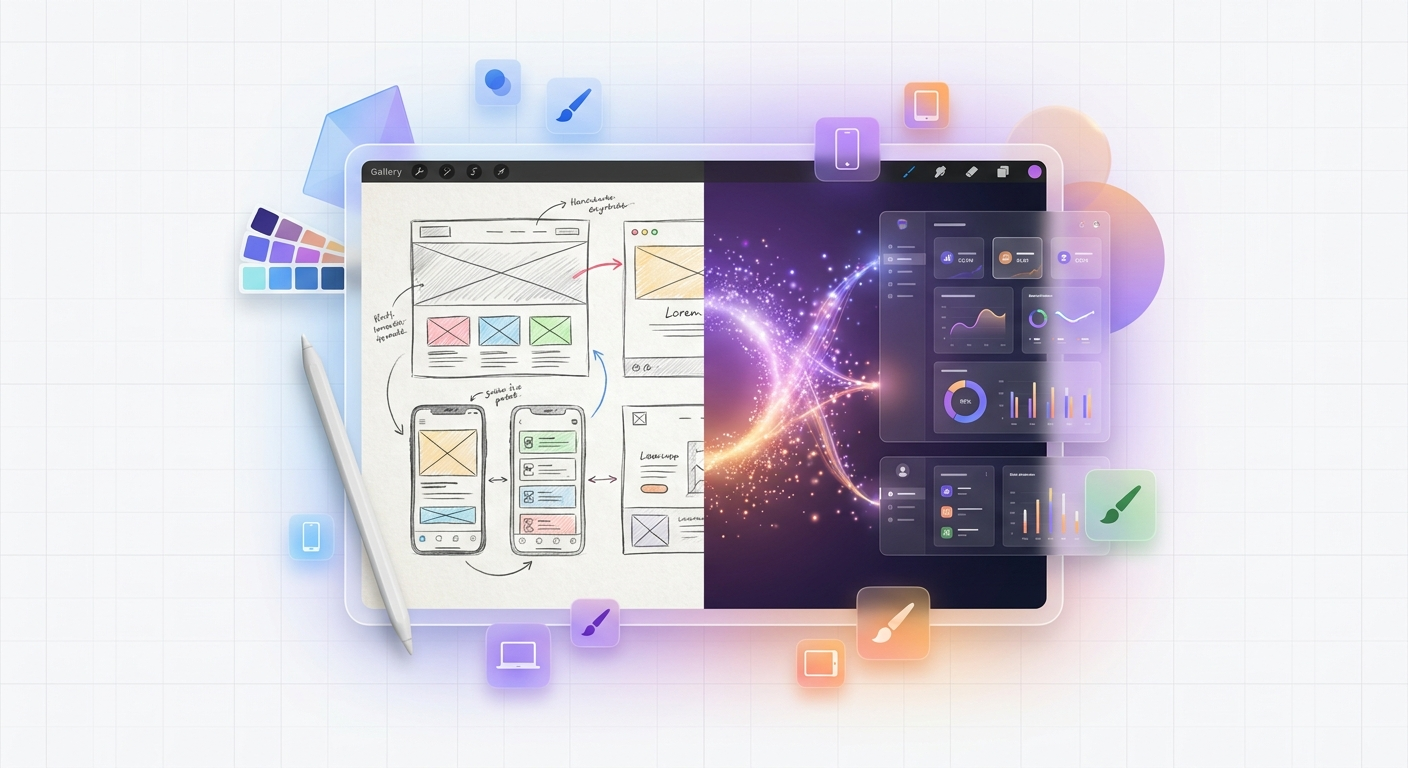
At its core, Claude Design is a collaborative visual creation tool. You describe what you need — a prototype, a pitch deck, marketing collateral — and Claude builds a first version. Then you iterate through conversation, inline comments, direct edits, or custom sliders that Claude creates for you.
The use cases Anthropic highlights span a wide range:
- Realistic prototypes: Turn static mockups into shareable interactive versions without code review or PRs
- Product wireframes: PMs can sketch feature flows and hand them directly to Claude Code for implementation
- Design explorations: Quickly generate a wide range of directions to explore
- Pitch decks and presentations: Go from rough outline to complete, on-brand deck in minutes
- Marketing collateral: Create landing pages, social media assets, and campaign visuals
- Frontier design: Build code-powered prototypes with voice, video, shaders, 3D, and built-in AI
That last point is intriguing — the idea that Claude Design isn’t just about static visuals but can generate interactive, code-powered prototypes with advanced capabilities baked in.
The Design System Integration
Here’s where Claude Design makes a strong play for enterprise adoption. During onboarding, Claude reads your codebase and design files to build a design system for your team. Every project after that automatically uses your colors, typography, and components.
This is a direct solve for one of the biggest headaches in design-to-development workflows: maintaining consistency across projects without constant manual enforcement. Instead of hoping developers remember to check the style guide, Claude Design applies your brand automatically.
Teams can maintain multiple design systems and refine them over time. For organizations juggling different brands or product lines, this flexibility is genuinely useful.
Import from Anywhere
Claude Design takes a generous approach to input sources. You can start from text prompts, upload images and documents (DOCX, PPTX, XLSX), or point Claude at your codebase. There’s also a web capture tool that grabs elements directly from your website, so prototypes look like the actual product.
This multi-modal input flexibility lowers the barrier to getting started. You don’t need perfectly formatted briefs or meticulously organized assets. Dump what you have, describe what you want, and Claude figures out the rest.
Fine-Grained Control Without the Friction
The refinement workflow stands out. You can comment inline on specific elements, edit text directly, or use adjustment knobs to tweak spacing, color, and layout live. Then ask Claude to apply your changes across the full design.
This bridges the gap between “just tell the AI what you want” and “I need precise control over this specific element.” You’re not forced to choose between high-level direction and pixel-perfect adjustments — you can mix both in the same workflow.
Collaboration and Sharing
Designs in Claude Design have organization-scoped sharing. Keep documents private, share with anyone in your organization via link, or grant edit access so colleagues can modify designs and chat with Claude together in a group conversation.
The export options cover the bases: internal URLs, folders, Canva, PDF, PPTX, or standalone HTML files. And when a design is ready for implementation, Claude packages everything into a handoff bundle for Claude Code with a single instruction.
How This Compares to Stitch
Having covered Google’s Stitch updates recently, the comparison is inevitable. Both tools are chasing the same vision: collapse the distance between idea and implementation.
Where they overlap:
- AI-powered generation from natural language descriptions
- Design system integration
- Interactive prototyping
- Multi-modal input (images, documents, code)
- Export to code and other tools
Where they differ:
Stitch emphasizes the infinite spatial canvas and parallel exploration through Agent Manager. It’s optimized for divergent thinking — exploring many directions simultaneously with multiple agents tracking different paths.
Claude Design emphasizes collaborative refinement and enterprise integration. The organization-scoped sharing, codebase-aware design systems, and direct Claude Code handoff suggest Anthropic is optimizing for teams that need to move from concept to production quickly.
Stitch introduced DESIGN.md as an open, portable format for design systems. Claude Design builds design systems from your existing codebase — a more automatic approach, but potentially less portable.
Both approaches have merit. If your workflow involves extensive exploration before convergence, Stitch’s canvas and agent system might fit better. If you’re moving fast from brief to production with a defined brand, Claude Design’s integrated approach could save time.
The Broader Implications
Two major AI companies launching sophisticated design tools within weeks of each other signals something important: the design-to-development pipeline is the next frontier for AI productivity tools.
For years, the handoff between design and engineering has been a source of friction. Designers create in Figma, engineers rebuild in code, and the two drift apart over time. Both Stitch and Claude Design are betting that AI can bridge this gap — not by replacing either role, but by making the translation seamless.
The emergence of code-powered prototypes is particularly interesting. We’re moving past static mockups into territory where designs are inherently interactive, with AI handling the implementation details. This could fundamentally change how teams validate ideas before committing engineering resources.
Who Should Pay Attention
If you’re already invested in the Anthropic ecosystem — using Claude for code, writing, or analysis — Claude Design slots naturally into that workflow. The Claude Code handoff alone could be worth exploring.
If you’re evaluating AI design tools for your team, you now have two serious options to compare. Both offer free tiers through their respective subscription plans, so hands-on testing is straightforward.
If you’re watching the AI space more broadly, the design tool race is worth tracking. The patterns emerging here — contextual AI that understands your brand, multi-modal input, seamless code generation — will likely appear across many other tool categories.
Getting Started
Claude Design is available for Claude Pro, Max, Team, and Enterprise subscribers. Usage counts against your subscription limits, with extra usage available if needed. Enterprise organizations have it disabled by default — admins can enable it in Organization settings.
You can start at claude.ai/design.
The AI design tool landscape is evolving rapidly. Between Google’s Stitch and Anthropic’s Claude Design, teams now have genuine choices in how they want AI to participate in their creative process. The best tool depends on your workflow, your team structure, and how you think about the relationship between exploration and execution.