
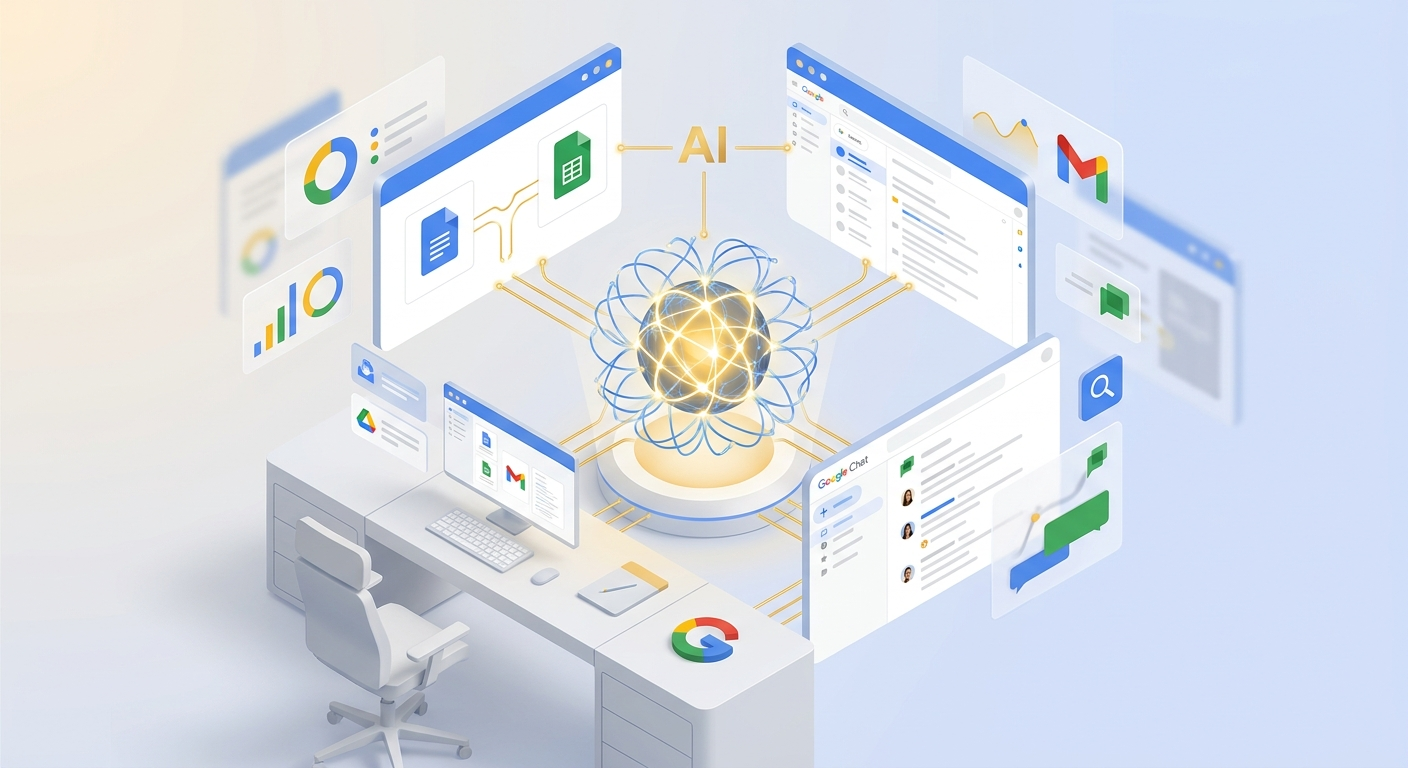
At Google Cloud Next 2026, Google announced something that might fundamentally reshape how enterprise productivity tools work: Workspace Intelligence. This isn’t just another AI feature bolted onto existing apps. It’s a unified intelligence layer that aims to understand your work the way a highly competent executive assistant would — knowing your projects, your collaborators, your priorities, and your communication style.
The pitch is compelling: stop spending hours stitching together scattered information before you even start actual work. Instead, let AI handle the context-gathering, prioritization, and even execution of routine tasks. Here’s what’s coming and why it matters.
The Problem Workspace Intelligence Solves
If you’ve spent any time in a corporate environment, you know the drill. You toggle between tabs, hunt for a chart someone mentioned in an email three weeks ago, dig through chat threads trying to find where a decision was actually made. By the time you’ve gathered the context you need, you’ve burned an hour just preparing to do the work.
Google’s framing here is that traditional productivity tools act as a “canvas” — they give you a blank slate to create, but they don’t understand your goals or context. Workspace Intelligence flips this by building a dynamic system that understands:
- Semantic relationships across your Workspace apps (Docs, Slides, Gmail, etc.)
- Your active projects and what’s most important right now
- Your collaborators and stakeholder relationships
- Your organization’s domain knowledge
This isn’t just search. It’s a knowledge graph built from your scattered emails, chats, and files — one that actively surfaces relevant information when you need it.
Ask Gemini in Chat: A New Command Line for Work
The most immediately practical feature is “Ask Gemini in Chat.” Google is positioning Chat as the unified command line for your entire work life. State your goal, and Gemini works behind the scenes to deliver results directly in the conversation.
The daily briefing feature alone could save significant time — surfacing important tasks, unread threads, and urgent action items without you having to hunt for them. But it goes deeper than triage. Gemini can now:
- Generate documents and slides using skills within Workspace
- Schedule meetings at suitable times for all participants
- Find any file using just a natural language description
- Bridge external tools like Asana, Jira, and Salesforce via third-party connectors
That last point is significant. Enterprise work doesn’t live entirely in Google Workspace. The ability to query and act across your professional stack without leaving Chat could meaningfully reduce context-switching overhead.
From Blank Page to Brilliance: Content Creation Gets Contextual
The content creation improvements target one of the most frustrating aspects of knowledge work: the manual prep work before you can even write a first draft. Workspace Intelligence retrieves relevant emails, chats, files, and web information to transform ideas into drafts that mimic your exact voice, brand, and company templates.
Sheets
Google claims Gemini in Sheets has set a “state-of-the-art benchmark” — and they’re letting it orchestrate complex, multi-step spreadsheet construction from start to finish. Describe what you need in natural language, and it synthesizes data across your files, emails, chat, and the web to build and visualize your data.
Docs
Gemini in Docs is becoming a more active collaborator. New capabilities include:
- Generating infographics grounded in your business data
- Editing multiple images at once for visual consistency
- Triaging and responding to comments
- Editing documents based on comment feedback
That last capability — automatically editing based on comment feedback — could dramatically accelerate document collaboration cycles.
Slides
The promise here is full, editable slide decks in one shot. Gemini uses Workspace Intelligence context and adheres strictly to company templates and visual styles. If this works as advertised, it could compress hours of deck-building into minutes.
Gmail: Breaking Through Information Overload
Email remains one of the most cognitively expensive tools in enterprise work. Workspace Intelligence addresses this with two key features:
AI Inbox gives you a streamlined view of what’s most important, understanding your priority projects and key collaborators to surface relevant messages.
AI Overviews in Gmail search synthesizes information from various email threads to create concise summaries. When you search for something, you get answers, not just links to dig through.
Drive: From Passive Storage to Active Knowledge Base
Drive is evolving from a file storage container into something more like a knowledge base. AI Overviews and Ask Gemini are now generally available for getting detailed insights about your files.
The new Drive Projects feature is particularly interesting for enterprise use cases. It provides a way to centrally organize files and emails around projects, ensuring both colleagues and Gemini have full context. This addresses a common pain point: information fragmentation across individual files and folders that makes it hard for anyone (human or AI) to understand the complete picture.
The Agentic Enterprise Security Model
Here’s where Google is making a critical distinction. As agents become more capable and autonomous, security and governance become more critical, not less. Workspace Intelligence is built on the same infrastructure as the rest of Workspace, which means:
- Data sovereignty: Your data is not reviewed by humans, used for ads, or used to train AI models outside of Workspace without permission
- Admin controls: Organizations can manage Workspace Intelligence usage across their environment
- Data residency: Lock data processing and storage to the US and EU, with more countries (Germany, India) coming
- Client-side encryption: Ultimate control over the most sensitive data — the power to authoritatively deny access to any agent or entity, including Google
That last point deserves emphasis. Client-side encryption means you hold the keys. Even if an agent is compromised or behaves unexpectedly, it cannot access data you’ve encrypted this way. This is the kind of enterprise-grade control that security teams need before letting autonomous agents loose on corporate data.
What This Means for Enterprise AI Adoption
Google is articulating what they call the “AI-first trifecta”: capable agents, deep context, and world-class security. The argument is that AI value isn’t measured solely by reasoning capabilities — it’s measured by ability to understand context and complete complex tasks on your behalf, in a secure, governed, and compliant manner.
This framing matters because it addresses the legitimate concerns that have slowed enterprise AI adoption. It’s not enough to have a smart model. You need:
- Context — the model must understand your specific work environment
- Action — the model must be able to do things, not just answer questions
- Guardrails — the model must operate within organizational policies and security requirements
Workspace Intelligence attempts to deliver all three within Google’s ecosystem. Whether it succeeds will depend on execution, particularly on whether the context-gathering actually produces accurate, helpful results rather than hallucinated connections.
The Bottom Line
Workspace Intelligence represents Google’s vision of what “agentic enterprise” actually looks like in practice. It’s not about replacing workers with AI agents — it’s about eliminating the tedious context-switching and information-gathering that consumes so much of knowledge work.
The features rolling out here — from the unified command line in Chat to the knowledge-graph-powered content creation to the enterprise-grade security controls — suggest Google is serious about making AI useful for real business work, not just demos.
For organizations already invested in Google Workspace, this is worth watching closely. The detailed rollout information is available on the Workspace Updates blog, and Google has additional announcements from Cloud Next 2026 worth reviewing.
Whether you’re ready to explore these capabilities or taking a wait-and-see approach, the direction is clear: productivity tools are becoming intelligent collaborators, not just digital canvases. The question isn’t whether this future is coming — it’s how quickly your organization will adapt to it.